No More Starting Over: 6 Ways to Make PTO/A Treasurer Transitions Smooth
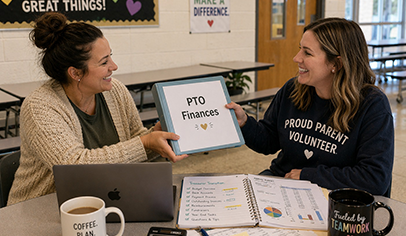
’Tis the season for PTO/A leadership transitions—so how do you stay ahead of the chaos when a new treasurer steps in? Don’t start over—use a simple onboarding plan and a system that keeps everything organized and easy to pass on.


New officers are in, leadership is transitioning—and your new treasurer is stepping up. Now what? The good news is, you don’t have to start over each year. With the right system and a simple onboarding plan, everything stays organized, easy to follow, and ready to pass on with confidence. Here are 6 ways to make your treasurer transition smooth.
Quick Takeaways
- A simple onboarding process helps new treasurers feel confident from day one
- Clear systems and shared access eliminate confusion and save time
- Understanding budgets, reports, and expectations builds trust with your board and school
- The right tools make transitions smooth and sustainable year after year
Ready to Make Your Next Treasurer Transition Easier?
Love it? (We knew you would 🎉) Subscribe to PTO Today Finance Manager for just $139/year.
6 Simple Ways to Onboard a New PTO/A Treasurer
1. Start with a quick, friendly walkthrough
Grab 30–45 minutes to walk through the basics together—what the previous treasurer did, your budget, and what to expect. It goes a long way in helping them feel comfortable right away.
2. Keep everything in one place
Nothing builds confidence faster than knowing where things are. When budgets, receipts, and reports all live in one spot, your new treasurer can jump in without the scavenger hunt.
3. Share access, not a pile of files
Instead of forwarding emails and documents, give them access to your system so they can explore and get familiar at their own pace. Don't have a system. keep reading. We've got you.
4. Walk through the budget together
Show them what’s been spent, what’s coming up, and how things are organized. It turns “I hope I’m doing this right” into “Okay, I’ve got this.”
5. Explain what reports are needed—and when to share them
Walk them through the key reports they’ll be responsible for, like a monthly treasurer’s report, a budget vs. actual report, and any year-end or audit documentation. Let them know when these are typically shared (monthly meetings, board updates, end-of-year) and who needs to see them—your board, your principal, or an audit committee. This helps them feel prepared instead of guessing.
6. Set them up with a system that does the heavy lifting
The best onboarding gift you can give? A system that’s already organized, easy to use, and built for transitions—so they’re not starting from scratch.
What a Strong PTO/A Financial System Actually Does
- Keep all your financial info in one place (no more digging through emails or folders)
- Share clear, easy-to-understand reports with your board
- Keep track of receipts and documentation without the paper clutter
- Make treasurer and board transitions feel smooth instead of stressful
- Build trust with your school, your bank, and your community
How Finance Manager Makes Training a New Treasurer Fast & Simple
- You can set up a budget—and actually stick to it
- All your income and expenses live in one place (no more scattered spreadsheets)
- Receipts and documents are stored digitally, so nothing gets lost
- Reports are easy to generate and easy for your board to understand
- When a new treasurer steps in, you just update access—no starting over
- Everything stays clear, organized, and transparent all year long
Glowing ⭐⭐⭐⭐⭐ Reviews from PTO & PTA Treasurers and Boosters
“When our PTA dissolved, we launched our own 501(c)(3) with guidance from PTO Today, and I became PTO treasurer. Thanks to PTO Today's Finance Manager, what I thought would be overwhelming turned out to be simple and stress-free. Ten years later, our books are still organized, our fundraising runs smoothly, and I actually enjoy being treasurer! The Kiwanis Club of Moorpark, California, a non-profit service organization that focuses on supporting children and schools, also recently began using Finance Manager and loves it!” –Mark Van Dam, PTO Treasurer, Lawrence Middle School, Chatsworth, California, and Kiwanis Club of Moorpark, California
"This is my 7th year using PTO Today Finance Manager. When I first started using it, I had no treasurer experience, yet I learned how to use it in just one sitting. That’s how easy it is! Years later, when I became the treasurer of the current booster club I am in, I immediately requested it. It has everything needed to keep our finances straight, and it is very user-friendly – even for those who have no knowledge of accounting! Creating reports is just a couple of clicks away, adding transactions is super straightforward, and the bank reconciliation takes only a few minutes every month. There is even a way to indicate that a check was voided! All reports can also be easily exported to spreadsheets should you ever need to format them differently. And if you have any questions or need any help, no one beats PTO Today's customer service!!" –Catalina, HS Band Association Booster, Texas
“I needed a new system when I become PTO President. We just didn’t have a system for keeping everything in one place, tracking goals, daily balances, making budgets, close out reporting…and none of us are accountants! I reached out to PTO Today to see if they could help, and Finance Manager had EXACTLY what we needed! Developed specifically for parent groups—PTOs, PTAs, boosters—it’s designed with volunteers in mind…your new treasurer is going to be able to jump right in! Whether you’re an established PTO with a lot of years put in or just starting a PTO, you’re going to fall in love with it - it's the best PTO/A treasurer software. And a real person answers the phone, every time!” –PTO President Tyler Rakay and Front Desk Administrator Tracy, Meadow Park Elementary, Port Charlotte, Florida
“Historically, we had an accountant-by-day-job treasurer who handled everything from budgets to transactions to taxes using complex and amazing Excel spreadsheets. When that individual moved to middle school, our new PTO treasurer was unable to pick up the old methods. We tried transitioning to a simple spreadsheet budget, but that didn't allow for adequate budget tracking and visibility into the organization’s financial picture. We considered QuickBooks, but we opted for PTO Today Finance Manager as it was built explicitly for our type of organization. It has allowed us to easily input our data, reconcile and find out where we are at any given moment. It will also allow for easy PTO treasurer transitions in the future. PTO Today Finance Manager has overwhelmingly exceeded our expectations. Ease of use, transaction tracking, and reconciliation of bank statements were the main components that we were looking for in our accounting software, and Finance Manager makes an intimidating process simple and doable for non-accountants like us!” –Breezy Caldwell, PTO President, Independence Elementary in Aurora, Colorado
More Resources and Tips for PTO/A Treasurers:
- PTO Treasurer Annual Checklist: This no-fluff checklist breaks down everything PTO and PTA treasurers need to keep finances on track and stress levels low.
- Financial Best Practices for PTO and PTA Groups: A must-read for every PTO and PTA Treasurer! Run your PTO or PTA like a business with these financial best practices for school parent groups.
- How to Create a PTO Budget: The nuts and bolts of setting up a comprehensive budget for your PTO or PTA.
- PTO Treasurer Midyear Budget Review: A springtime budget analysis can help PTO and PTA treasurers make plans for any surplus funds.
- Rules for Keeping PTO and PTA Records: Guidelines for how long you should keep bank statements, meeting minutes, and more.
📲 Subscribe to our free weekly newsletter for your weekly dose of all things PTO